
UK · Payroll & compliance
Pento Review
Reviewed: April 2026 | Type: UK cloud payroll software | Employee range: 50–2,000
Pento is the platform that UK People Ops leads name when they have lost patience with Sage 50 Payroll, outgrown their bureau, and do not want to inherit the payroll module of whichever HRIS they already run.
It is a payroll-only product, HMRC-recognised, cloud-native, and built around a real-time data model rather than the traditional monthly pay run.
That last point matters in practice: it changes how the payroll team works and what software they use.
The catch is that Pento does not publish UK pricing, does not sell below around 50 employees, and charges an implementation fee on top of the per-employee monthly rate.
For the right business, the total cost is defensible because it replaces bureau fees, reconciliation time, and spreadsheet workarounds in a single move.
For a 20-person payroll running on BrightPay and NEST, it is the wrong tool at the wrong price. This review works through where the cut-off sits, what the real total cost looks like, and how Pento handles the three UK compliance obligations that decide whether a payroll platform is usable at all: HMRC RTI, pension auto-enrolment, and P11D.
Whichapp Verdict
Pento UK
| Best for | UK businesses with 50–500 employees running HiBob, Personio, or BambooHR who want payroll to behave like a modern SaaS tool and integrate by API rather than CSV |
|---|---|
| Avoid if | You have fewer than 50 employees, you need a single combined accounting-plus-payroll product, or your team prefers a traditional monthly pay-run cut-off and phone support |
| Pricing | Quote-only. Typically £4–£6 per active employee per month plus a £1,500–£3,500 implementation fee. No public pricing page, no free plan, no tiered plans |
| UK compliance | HMRC-recognised for RTI. Native API integration with all eight major UK pension providers. P11D and P11D(b) supported natively. Full statutory payments, IR35, gender pay gap, CSOP, EMI |
| Support | Chat and email, plus dedicated Customer Success Manager above a certain account size. No phone line for day-to-day queries |
| Verdict in one line | The best UK payroll platform for 50–500 employee businesses that have already committed to a modern HRIS and are prepared to pay for integrations that actually work |
Pento Payroll at a Glance
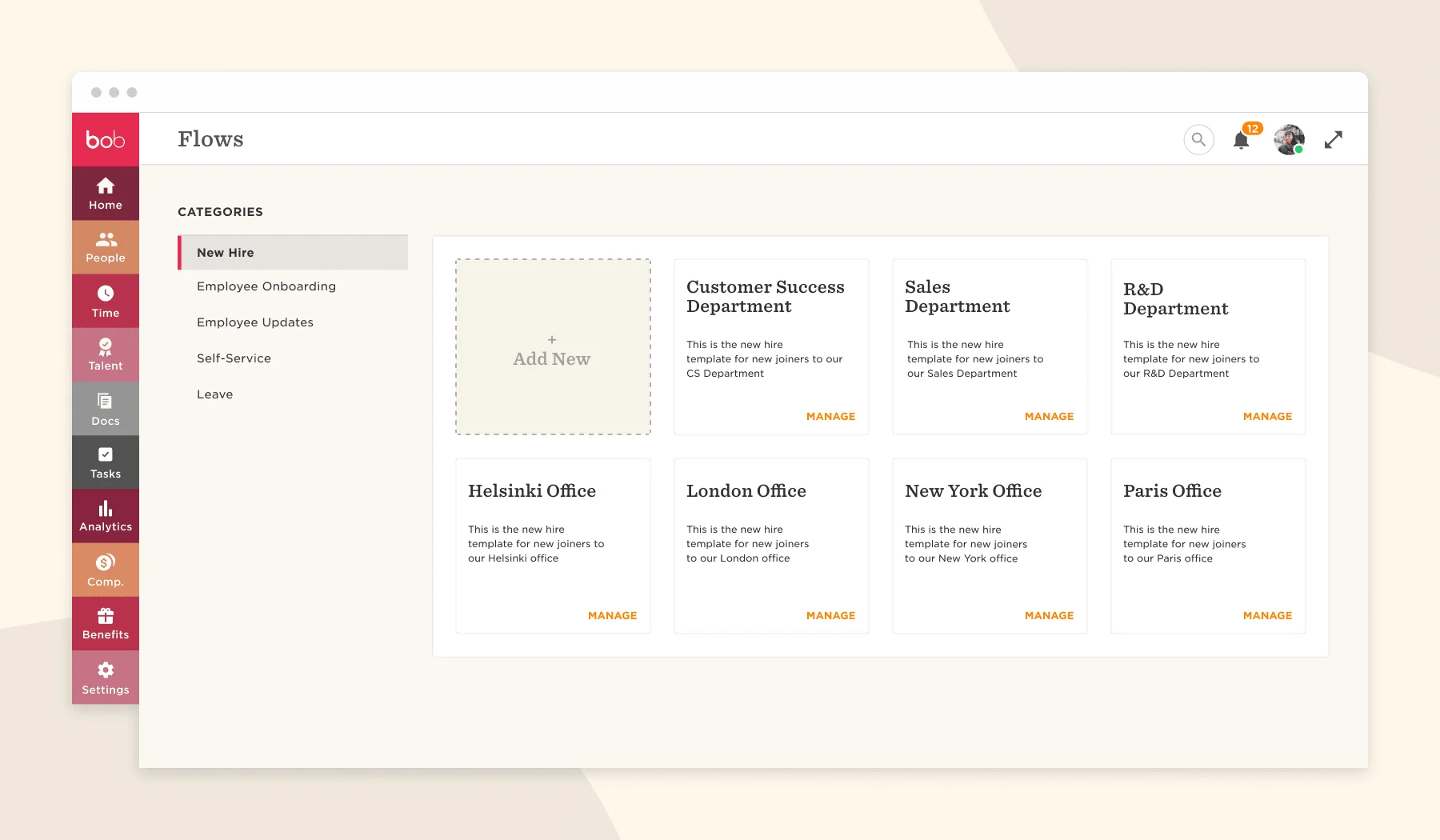
Pento is a cloud-native UK payroll platform founded in Copenhagen in 2016 and operating in the UK since 2020. It is payroll-only, which is the single most important thing to understand before evaluating it.
There is no accounting module, no HR module, no time-tracking module. Everything else lives in integrations.
Our Verdict
Pento is the right answer for a specific profile: a UK business between 50 and 500 employees, already running a modern HRIS such as HiBob or Personio, losing time to monthly reconciliations against a bureau or desktop product, and willing to pay a premium to have payroll data update in real time and post to Xero or Sage Accounting without an export step.
For that profile, the total cost of Pento is usually less than the cost of the friction it removes. Outside that profile, the maths does not work.
Best For
UK People Ops or Finance leads at 50–500 employee businesses who have already chosen an HRIS and want payroll to be the thin layer that turns HR data into compliant pay, pension contributions, and HMRC submissions.
Works particularly well for tech, creative, professional services, and hospitality groups with a multi-site or multi-entity structure.
Not Ideal For
Businesses under 50 employees (the implementation fee destroys the economics), businesses wanting a single accounting-plus-payroll platform (Pento does not do accounting), businesses with a traditional monthly cut-off workflow that do not want to move to continuous data entry, and businesses that need a phone line for payroll queries.
Key Facts
- Founded 2016 (Copenhagen), UK operations since 2020
- HMRC-recognised payroll software
- Payroll-only, no accounting, HR, or time module
- Real-time pay data (not month-end batch)
- API integration with all major UK HRIS and accounting platforms
- Native pension integration with eight UK workplace pension providers
- Quote-only pricing, no public pricing page
- Typical band: £4–£6 per active employee per month plus £1,500–£3,500 implementation
What Is Pento Payroll?
Pento is a cloud payroll platform built for UK businesses that run their HR data in a modern HRIS and want their payroll to behave the same way. HiBob acquired Pento in February 2024 for approximately £32m (PRNewswire/Goodwin), making Pento a HiBob company rather than an independent vendor.
It replaces bureau relationships, desktop payroll products such as Sage 50 Payroll, and the older cloud payroll tools that still operate on a strict monthly cut-off.
How Pento Payroll Works
The core architectural decision is real-time pay data. When a People Ops lead updates a salary in HiBob, the change flows into Pento via API. When a new hire is added in BambooHR, they appear in Pento with their start date already set.
When someone leaves mid-month, their final pay and P45 can be produced the same day.
The pay run itself is still a deliberate event with an approval step, but the data underneath it has been accumulating continuously, not assembled in a panic on the 25th.
For a People Ops lead who has been exporting CSVs from HiBob at 25th of the month and hand-reconciling against a bureau, the difference is not marginal. It changes which week of the month contains the payroll work.
What Payroll Tasks Pento Covers
- Pento handles gross-to-net calculation
- PAYE and NI deductions
- RTI submission to HMRC
- pension assessment and contribution filing
- statutory payments (SMP
- SPP
- SAP
- ShPP
- SSP
- parental bereavement)
- student loan deductions
- attachment of earnings orders
- expenses and bonuses
- and payslip generation and distribution
It also covers P45 and P60 production, P11D and P11D(b) for benefits in kind, year-end reporting, gender pay gap reporting exports, and IR35 off-payroll tax calculations where the employer is the fee-payer. The statutory coverage is complete for mainstream UK payroll scenarios.
Whether Pento Is UK-Focused or Global
Pento is UK-focused, with some coverage in Denmark, Germany, the Netherlands, and a handful of other European markets. The UK product is the mature one.
A business that needs multi-country payroll as its primary requirement should not choose Pento on that basis; it would be choosing it for the UK product with the others as a secondary consideration.
How Much Does Pento Payroll Cost?
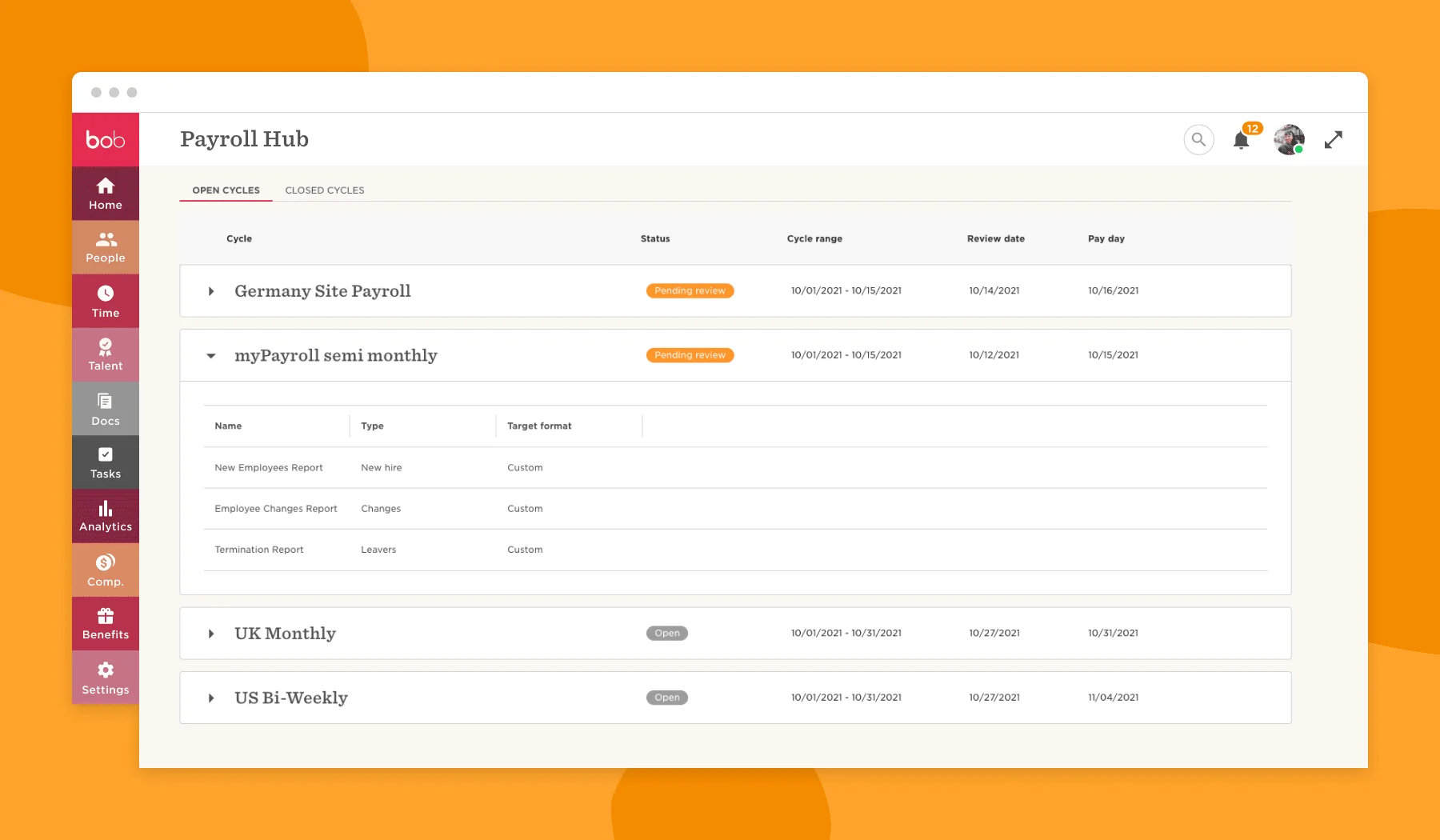
Pento does not publish its pricing to you. Every quote is bespoke, routed through a sales call, and sized to headcount. This is a deliberate choice and it has consequences.
Entry-Level Pricing
Based on independent aggregators (PeoplePro, SoftwarePundit) and customer-reported pricing on G2 and Capterra during 2025 and early 2026, Pento UK typically quotes in the range of £4–£6 per active employee per month for businesses in the 50–250 employee bracket.
There is no tiered plan structure: you negotiate a flat per-employee rate at contract stage. Annual commitment is standard.
Higher-Tier Plans
For larger accounts (500 employees and above), the per-employee rate typically compresses toward the bottom of the band, but the contract commonly includes a named Customer Success Manager, priority implementation support, and API rate-limit increases.
There is no published enterprise tier; the offer is assembled during the sales process.
Add-Ons and Extra Costs
The most significant extra cost is the implementation fee, typically £1,500–£3,500 for onboarding a 50–250 employee business. This covers data migration from the previous payroll system, parallel run, HMRC registration changes, pension scheme reconnection, and user training.
It is a one-off cost but a real budget line that can trip up your planning if you assume the monthly rate is all you will pay.
Other potential extras include premium integration builds where a non-standard HRIS or accounting system needs a bespoke connector, and multi-entity configurations for groups running multiple PAYE references.
What Affects the Total Price
Your total annual cost for a 100-employee business typically lands between £6,300 and £9,700 in year one (platform plus implementation) and between £4,800 and £7,200 in year two onwards.
For a 300-employee business, year one commonly runs £16,000–£23,500 and steady-state around £14,400–£21,600. The quote-only pricing is not a minor inconvenience. It is a filter.
Pento is choosing not to sell to businesses that would flinch at the number, and the number is deliberately kept behind a call.
If your headcount is growing or shrinking quickly, model the bill against the leavers-count-in-final-month rule: a seasonal business paying out 80 leavers in one month is paying Pento for all 80 that month, which most businesses forget until the first invoice after a reduction.
What Are the Key Features of Pento Payroll?
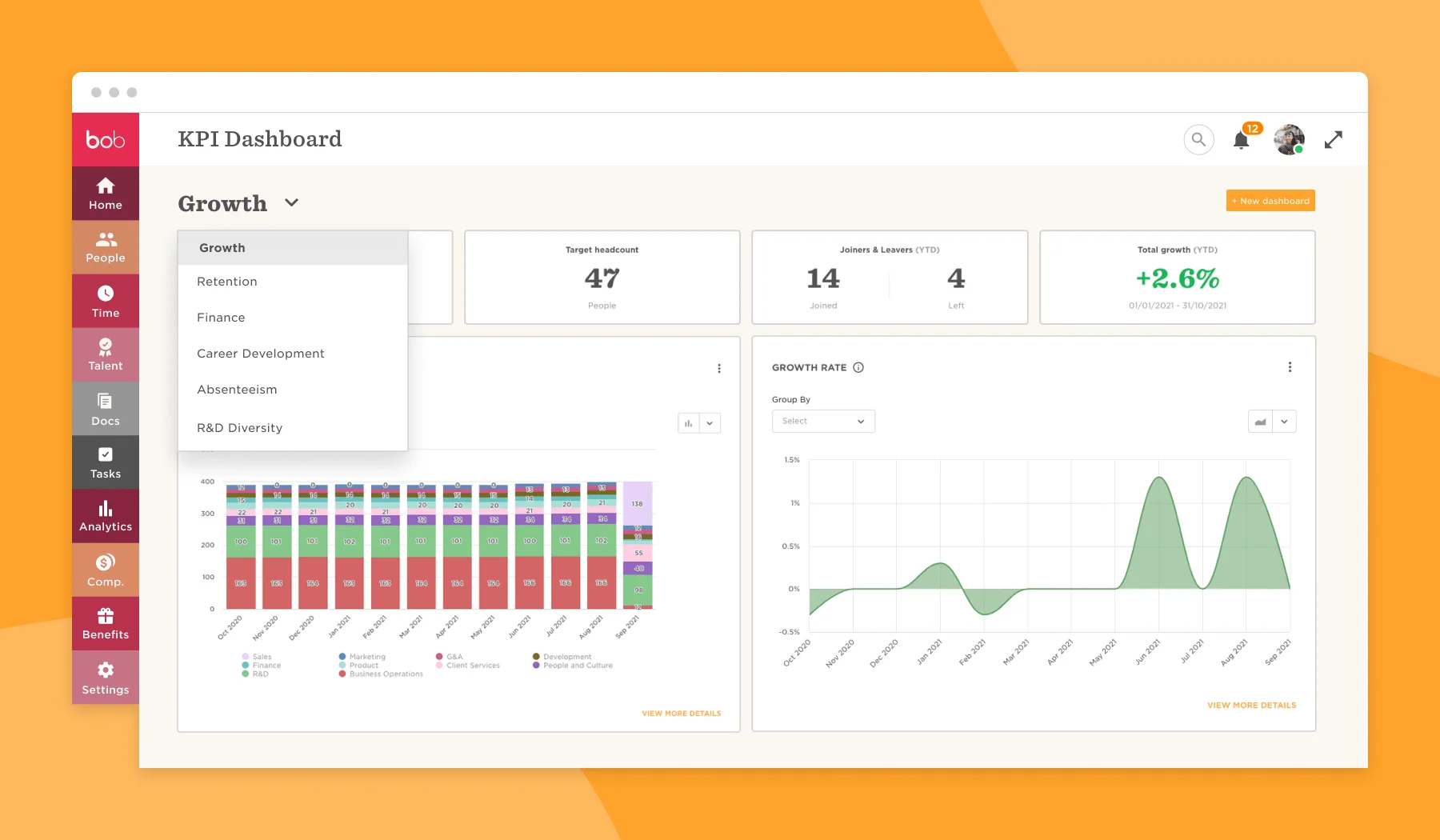
Pento’s feature set is deliberately narrow: payroll and compliance, and it goes deep within that scope.
The features that matter most for your decision are the three compliance pillars and the integration layer.
Payroll Processing and Payslips
Pay runs are approved in-app with a clear summary screen showing gross, deductions, and net per employee, with totals by cost centre and entity. Payslips are generated automatically and delivered through the employee portal with mobile access.
Corrections are handled through adjustment runs, not by voiding and re-running, which keeps the audit trail clean.
Pento and HMRC RTI Compliance
Pento is HMRC-recognised and submits Full Payment Submissions (FPS) after every pay event. Employer Payment Summaries (EPS) are scheduled and submitted each tax month without manual intervention. Year-end submissions, including final FPS, are handled inside the product.
There is no separate HMRC filing step outside Pento for routine RTI.
For a payroll team that has been chasing bureau deadlines or managing RTI submissions through a desktop product that crashed at year-end, this is the baseline that actually works.
Pento and Pension Auto-Enrolment
Auto-enrolment coverage is where Pento genuinely separates itself from cheaper cloud payroll tools.
Assessment runs continuously against qualifying earnings thresholds, new starters are enrolled at the correct trigger point, postponement is handled natively, and the three-yearly re-enrolment cycle is calendared into the product.
The differentiator is the native API integration with all eight major UK workplace pension providers: NEST, The People’s Pension, Smart Pension, Aviva, Legal and General, Scottish Widows, Royal London, and Standard Life.
Contributions are submitted directly, so you skip the monthly CSV download and upload to your pension provider’s portal.
For a business that has been manually uploading to an Aviva or Standard Life scheme every month, this removes a meaningful risk of late or missed submission.
Pento’s P11D and Benefits-in-Kind Handling
P11D and P11D(b) are supported natively. The platform tracks taxable benefits (company cars, private medical, gym memberships, loans above the threshold) throughout the year and produces the P11D at year-end with HMRC submission built in.
This matters because one of the main UK alternatives, Xero Payroll, does not produce P11D forms at all, so employers have to use HMRC’s online P11D tool or a third-party benefits platform. For any employer with benefits-in-kind employees, Pento removes a separate system from the compliance stack.
Pento Employee Self-Service
Employees access payslips, P60s, P45s, tax code changes, and pension contribution history through a mobile-ready portal. They can update personal details, bank account, and address directly, with approval workflows flowing back to the payroll administrator.
This is table stakes for a modern platform and Pento executes it cleanly; it is not a point of differentiation but it is not a weak point either.
Pento Reporting and Analytics
Standard payroll reports (gross-to-net, cost centre, tax summary, pension summary, statutory payments) are available as one-click exports. Custom reports can be built with filters on cost centre, entity, department, and pay element.
Gender pay gap reporting produces a formatted export for gov.uk submission.
The reporting is competent rather than exceptional; businesses needing bespoke finance-grade analytics usually pipe data into their own BI tool.
Pento Integrations with Accounting, HR and Time Tracking
This is the second real differentiator. HR integrations include HiBob, Personio, BambooHR, Charlie, Factorial, and Humaans, with two-way data flow: employee changes flow into Pento automatically and pay data flows back into the HRIS.
Accounting integrations include Xero, QuickBooks, Sage Accounting, and NetSuite, with journal posting at the required level of detail (by cost centre, by entity, by pay element). Time-tracking tools integrate via API where the HRIS does not already carry the data.
The integrations are not file exports dressed up as integrations; they are API-level and they are maintained.
For a business already on HiBob and Xero, this is the core value proposition.
What Are the Pros and Cons of Pento Payroll?
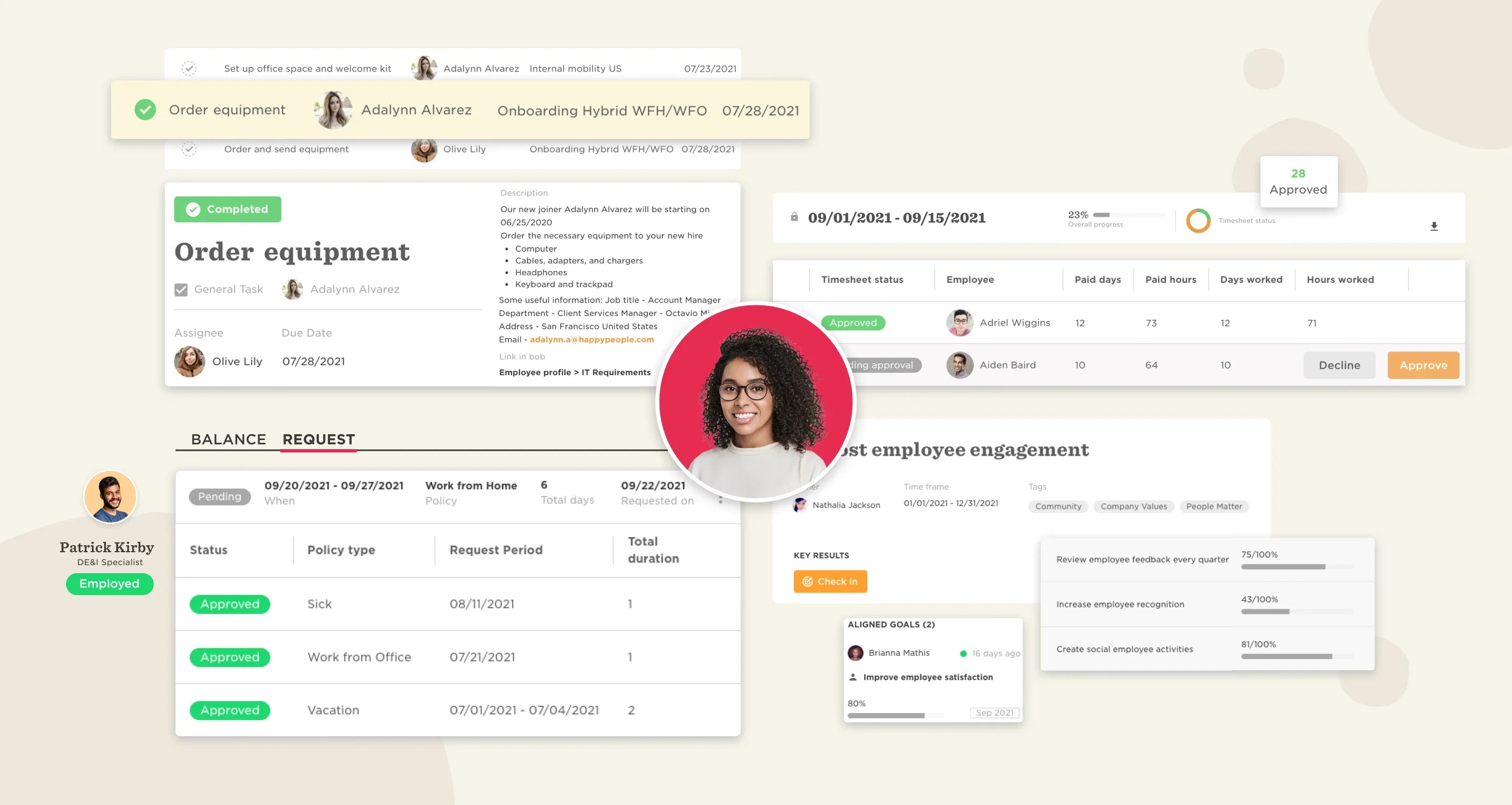
We give the honest shortlist, with every strength tied to its cost or condition and every weakness tied to its operational consequence.
Pros
- Real-time payroll architecture. Pay data updates continuously rather than at month-end, which removes the reconciliation marathon before every pay run. Condition: the payroll team has to adapt its workflow, and this only pays off if they do.
- Native API integration with all eight major UK pension providers. Removes manual CSV uploads and late-submission risk. Cost: this is priced into the per-employee rate.
- P11D and P11D(b) produced and submitted natively. Removes a separate benefits-in-kind compliance tool from the stack, which matters if you run company cars or private medical.
- Two-way API integration with HiBob, Personio, BambooHR, and other modern HRIS platforms. Turns payroll into a downstream consumer of HR data rather than a parallel spreadsheet. Condition: you have to be on one of the supported HRIS platforms to get this benefit.
- HMRC-recognised RTI submission with scheduled EPS. Zero separate filing steps for routine pay runs.
- Flat per-employee pricing model. No plan tiers, no feature gating, no paying for a tier you do not need. Condition: the minimum economic headcount is around 50 employees.
- Dedicated Customer Success Manager above a certain account size. Named human contact for escalations, which matters at year-end and for complex scenarios like mergers or TUPE transfers.
Cons
- Not economic under 50 employees. Operational consequence: a 25-person business paying £4.50 per employee plus a £2,000 implementation fee is overpaying for features it does not need versus BrightPay or Xero Payroll.
- No public pricing. Operational consequence: every comparison evaluation requires a sales call, which slows down procurement and makes it hard to pre-shortlist Pento without spending time.
- No phone support for day-to-day queries. Operational consequence: at 9am on payday with an HMRC rejection, you are in a chat queue rather than on the phone to a named payroll clerk. Mitigated at larger accounts by the CSM.
- No accounting module. Operational consequence: businesses not already on Xero, QuickBooks, Sage Accounting or NetSuite need to buy one to close the loop, because Pento does not do the accounting side.
- Implementation fee is a real barrier for mid-year switches. Operational consequence: switching in November with five months to go before the tax year-end means the implementation fee hits a budget that planned for monthly spend only.
- Real-time data model requires workflow discipline. Operational consequence: teams used to a monthly cut-off can revert to old habits, which recreates the reconciliation problem Pento was bought to solve.
Who Is Pento Payroll Best For?
Pento is a deliberately narrow product for a narrow buyer. The fit test is mostly about size and stack, not industry.
Best Fit by Business Size
50–500 employees is the sweet spot. Below 50, the implementation fee and per-employee rate make BrightPay, Xero Payroll, or a small bureau more sensible.
Above 500, Pento is still competent but begins to overlap with Sage Payroll, IRIS Cascade, or Dayforce, and the decision becomes about depth of reporting and multi-entity complexity rather than cloud-native UX.
Best Fit by Payroll Complexity
Pento works well for standard UK PAYE payroll with pension auto-enrolment, statutory payments, expenses, and occasional TUPE or acquisition scenarios. It handles multi-entity setups with separate PAYE references, cost centre reporting, and IR35 off-payroll contractors.
It is less well suited to highly specialised payroll (deep construction industry scheme operations, complex maritime payroll, certain union-negotiated pay schemes) where a specialist bureau or sector-specific tool may be the better answer.
When to Consider a Pento Alternative
If you are below 50 employees, if you need a combined accounting-plus-payroll platform, if phone support for day-to-day queries is a hard requirement, or if your HR data lives in a legacy HRIS without a Pento connector, you are better served by a different tool.
The alternatives section below covers the three most common substitutes.
How Easy Is Pento Payroll to Use and Set Up?
Set-up is the stretch point. Day-to-day use is not.
Getting Started with Pento
Implementation typically takes four to six weeks for a 50–250 employee business.
This includes data migration from the previous payroll product (historical payslips, YTD figures, tax codes, pension enrolments), HMRC reference realignment where a tax year boundary is being crossed, pension scheme reconnection to each provider, HRIS and accounting integration configuration, and a parallel run for the first pay period.
The implementation fee pays for the Pento implementation team doing the heavy lifting; the buyer’s payroll lead is expected to be available for two or three structured working sessions during the project.
Day-to-Day Pento Use
After the first clean pay run, Pento is a fast product to operate. Data entry is continuous rather than batched, the pay-run approval flow is a single screen, and corrections are handled through adjustment runs rather than re-runs.
A payroll administrator familiar with cloud tools will be productive inside a week.
One that is used to desktop Sage or a bureau handoff typically takes longer to adapt to the real-time model. This is a workflow change as much as a tool change.
Pento Learning Curve
For a modern People Ops lead already working in a SaaS HR stack, the learning curve is shallow. For a payroll clerk moving from a long-running desktop or bureau setup, the curve is steeper and mostly sits in the shift from monthly-batch to continuous data entry.
Pento provides structured training as part of implementation and ongoing documentation; the constraint is rarely documentation quality and usually team habit.
How Does Pento Payroll Handle Compliance, Security and Support?
Compliance is where Pento earns its fee; security is competent; support is the area where expectations need to be set clearly at contract stage.
UK Payroll Compliance with Pento
Pento is HMRC-recognised, processes RTI submissions automatically, handles the full scope of statutory payments, supports IR35 off-payroll rules for contractors where the employer is the fee-payer, produces P11D and P11D(b) for benefits in kind, supports gender pay gap reporting exports for gov.uk submission, and provides CSOP and EMI share scheme reporting.
The compliance surface is complete for a mainstream UK employer.
Pento Data Security and Access Controls
Pento operates on AWS with encryption at rest and in transit, role-based access control, audit logging of administrator actions, and SSO via Google Workspace, Microsoft Entra ID, and Okta. SOC 2 Type II and ISO 27001 certifications are in place. Data residency is in EU AWS regions.
For most UK buyers, the security posture is above the minimum required for employee data processing under UK GDPR.
Pento Customer Support Options
Support is via in-app chat and email for all accounts, with typical response times of a few hours during working hours. Above a certain account size (typically 100 employees plus), accounts get a dedicated Customer Success Manager for escalations and annual review.
There is no published phone support line for routine queries; the CSM is the phone route.
Year-end and PAYE escalation handling is credible, particularly for larger accounts, and this is a recurring positive theme in G2 and Capterra reviews. It is also the area where smaller Pento customers occasionally report frustration.
What Do Pento Payroll Customers Say?
We pulled from review aggregators and found a consistent story, with a predictable pattern around size.
Pento Review Scores
G2 aggregate score is 4.6 out of 5 across 120-plus reviews as of Q1 2026. Capterra sits at 4.7 out of 5 across 80-plus reviews. Trustpilot is 4.4 out of 5 on a smaller sample.
The scores are consistent with the positioning: a well-regarded modern SaaS payroll tool, not a mass-market consumer product.
What Pento Users Like
Repeating positive themes across our review sources: the real-time payroll model saves reconciliation time, the integrations with HiBob and other HRIS platforms actually work, the product is fast and modern to use, and support is responsive for accounts with a dedicated CSM.
Year-end handling gets consistently positive mentions, which is unusual for payroll reviews and worth paying attention to.
Common Pento Complaints
Repeating negative themes: implementation takes longer than buyers expect (four to six weeks is the honest range, not the two to three weeks some expect), the quote-only pricing frustrates procurement teams that want to benchmark before a call, and support response is slower for smaller accounts without a CSM.
These are structural complaints, not bugs; they reflect how Pento has chosen to position and price itself.
How Does Pento Payroll Compare to Alternatives?
Three alternatives are worth shortlisting against Pento for a 50–500 employee UK business. Each maps to a different trade-off.
Pento vs BrightPay
BrightPay is dramatically cheaper, particularly for bureaus and multi-employer setups. It runs on desktop or cloud, the UK compliance depth is excellent, and it has no implementation fee in the Pento sense.
It does not offer real-time payroll or API integration with modern HRIS platforms, and its workflow is traditional pay-run rather than continuous.
Cost-sensitive buyers on a monthly cut-off will find BrightPay the stronger choice. If you need the integration layer and real-time architecture, Pento wins. Detailed comparison: Pento vs BrightPay UK comparison.
Pento vs Sage Payroll
Sage Payroll is the default for larger and more complex UK payrolls and pairs naturally with Sage 50 or Sage 200 accounting. It scales past 1,000 employees comfortably and has deeper legacy feature coverage in areas like construction industry scheme operations.
It lacks Pento’s modern API integration layer with HiBob, Personio, and similar, and its UX is closer to desktop software than a SaaS product. For enterprise complexity and Sage-accounting-stack alignment, Sage wins.
For cloud-native architecture and modern HRIS integration, Pento wins. Detailed comparison: Pento vs Sage Payroll UK comparison.
Pento vs Employment Hero Payroll
Employment Hero Payroll is positioned similarly as a modern SaaS tool but bundled with an HR module, which is the opposite design philosophy. If you want one combined HR plus payroll platform, Employment Hero is a cleaner choice.
If you have already committed to HiBob, Pento is now first-party payroll (HiBob acquired Pento in February 2024), not a best-of-breed integration. If you run Personio or BambooHR and want payroll to integrate with it, Pento is the better fit. Detailed comparison: Pento vs Employment Hero Payroll UK comparison.
Is Pento Payroll Worth It?
The answer depends entirely on headcount and stack.
Where Pento Offers Good Value
For a 100–300 employee UK business on HiBob or Personio, running Xero or Sage Accounting, and currently managing payroll through a bureau or Sage 50 Payroll, Pento typically saves more in reconciliation time, late-submission risk, and bureau fees than it costs.
The real-time architecture and native pension API are genuine operational upgrades.
The Customer Success Manager relationship at this size provides a credible escalation route. This is the profile Pento is priced for.
Where Pento Falls Short
For a 20-person business, Pento is straightforwardly the wrong product at the wrong price. BrightPay or Xero Payroll will do the job for a fraction of the cost.
For a 1,500-employee enterprise needing specialised payroll depth, Pento is competent but the trade-offs against Sage Payroll or a specialist enterprise tool need to be weighed carefully.
And for any business that will not tolerate quote-only pricing in procurement, Pento is self-selecting out of the shortlist.
Final Verdict on Pento
Whichapp view
Buy Pento if you are a 50–500 employee UK business committed to a modern HRIS, tired of bureau friction, and prepared to pay a premium for payroll that integrates cleanly and updates in real time; for that buyer the RTI, pension, P11D, and integration coverage justifies the quote-only pricing and implementation fee.
Skip it if you are under 50 employees, need a combined accounting-plus-payroll product, or will not tolerate quote-only pricing in procurement, because the price is too high or the product shape is wrong.
Pento is the best UK payroll platform for a specific, well-defined buyer: a 50–500 employee business, committed to a modern HRIS, tired of bureau friction, and prepared to pay a premium for payroll that integrates cleanly and updates in real time.
For that buyer, the combination of RTI, pension, P11D, and integration coverage justifies the quote-only pricing and implementation fee. For any other buyer, the price is too high or the product shape is wrong.
The honest recommendation is to run the numbers against headcount, HRIS, and current reconciliation cost before taking the sales call.
If the profile does not match, Pento will not become a better fit during the call.
See our ranked shortlist of providers, scored for HMRC submission reliability, statutory-pay handling, and pricing transparency. Updated for 2026.
View the shortlist →Frequently Asked Questions About Pento Payroll
Does Pento submit RTI to HMRC automatically?
Yes. Pento is HMRC-recognised and submits the Full Payment Submission (FPS) to HMRC after every pay event. Employer Payment Summaries (EPS) are scheduled and submitted automatically each tax month.
Year-end submissions including the final FPS are handled inside the product with no separate HMRC filing step for routine pay runs.
Does Pento handle pension auto-enrolment?
Yes. Pento runs continuous auto-enrolment assessment against qualifying earnings thresholds, enrols new starters at the correct trigger point, handles postponement natively, and calendars the three-yearly re-enrolment cycle.
It has native API integration with all eight major UK workplace pension providers:
- NEST
- The People’s Pension
- Smart Pension
- Aviva
- Legal and General
- Scottish Widows
- Royal London
- and Standard Life
Contributions are submitted directly to each provider rather than via CSV upload.
Does Pento produce P11D forms for benefits in kind?
Yes. Pento produces P11D and P11D(b) forms natively for benefits in kind including company cars, private medical insurance, gym memberships, and loans above the threshold. Submission to HMRC is handled inside Pento.
This is a meaningful difference from Xero Payroll, which does not produce P11D forms and requires employers to use HMRC’s online P11D service or a third-party benefits tool.
How much does Pento cost in the UK?
Pento does not publish UK pricing. Based on independent aggregators and customer-reported pricing, the typical band is £4 to £6 per active employee per month, plus a one-off implementation fee of £1,500 to £3,500 for a 50–250 employee onboarding. Pricing is quote-only and requires a sales call.
Leavers are charged in the month they leave, and new starters from their start date.
What is the minimum size for Pento to make sense?
Around 50 employees. Below that, the implementation fee and per-employee rate make BrightPay or Xero Payroll the more economical choice. Pento’s sweet spot is 50 to 500 employees, particularly for businesses already running a modern HRIS such as HiBob, Personio, or BambooHR.
Does Pento integrate with HiBob and Xero?
Yes. Pento has native API integrations with HiBob, Personio, BambooHR, Charlie, Factorial, and Humaans on the HR side, and with Xero, QuickBooks, Sage Accounting, and NetSuite on the accounting side.
The HRIS integrations are two-way: employee changes flow into Pento automatically and pay data flows back into the HRIS.
Journal posting to accounting tools can be configured at cost centre, entity, and pay element level.
Does Pento have phone support?
Not for day-to-day payroll queries. Support is via in-app chat and email for all accounts. Above a certain account size, typically around 100 employees, customers are assigned a dedicated Customer Success Manager who handles escalations and is contactable for urgent year-end or HMRC issues.
Buyers who consider phone support for routine queries a hard requirement should factor this in at shortlist stage.
Last reviewed: 23 April 2026 by the Whichapp editorial team. Pento pricing and feature information verified against pento.io/uk, the HMRC-recognised payroll software list, and independent review aggregators in April 2026.